Hi,
Pretty new to IES, drew up a model in Revit 2013, and imported the gbXML file into IES, with no problems after a few revisits to the revit model following your whitepaper. I've assigned copnstructions and thermal profiles to all rooms in my building and I'm about to do some thermal simulations. But before I do that I've two oddly shaped external walls (spline walls) which I couldnt draw using the curtain wall glazing tool in revit, so i drew them as an external wall hoping I could change this to an exterior glazing construction in IES. I've been trying to do this but when im assigning constructions to these walls, its only allowing me to choose from constructions of exterior walls, is there any way around this.
Any help would be greatly appreciated.
Thanks in advance.
Changing an external wall construction to Exterior Glazing
-
JordanGlasgow
- VE Newbie

- Posts: 6
- Joined: Sun Nov 11, 2012 1:13 pm

Re: Changing an external wall construction to Exterior Glazi
Hello
Go to ModelIT, then click down to the lowest level of the walls (there are 3 levels, whole building, room and wall). Then you have to draw the windows by clicking on the "Draw window" icon, and voila you got yourself your window . Then afterwards you can change the window to the type of window you want, just like you did with the external wall.
Kasper
Go to ModelIT, then click down to the lowest level of the walls (there are 3 levels, whole building, room and wall). Then you have to draw the windows by clicking on the "Draw window" icon, and voila you got yourself your window
. Then afterwards you can change the window to the type of window you want, just like you did with the external wall.Kasper
-
JordanGlasgow
- VE Newbie
- Posts: 6
- Joined: Sun Nov 11, 2012 1:13 pm
Re: Changing an external wall construction to Exterior Glazi
Thanks for the quick reply,
I've already drew the wall as a basic exterior wall, its a spline wall, I want to make the whole wall exterior glazing, not just a window, but when i choose to assign constructions I wasnt to be able to choose exterior glazing in the construction catergory, at the minute its only allowing me to choose external wall, do I have to draw a window on the wall to accomplish this?
I've attached a few shots of the wall im trying to change to glazing, hope I'm making sense...
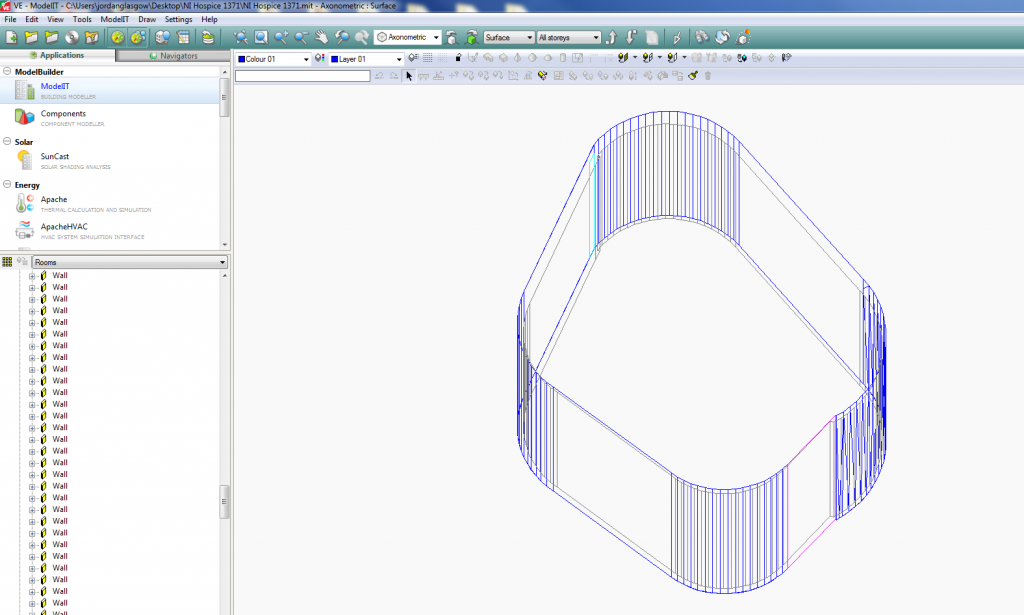
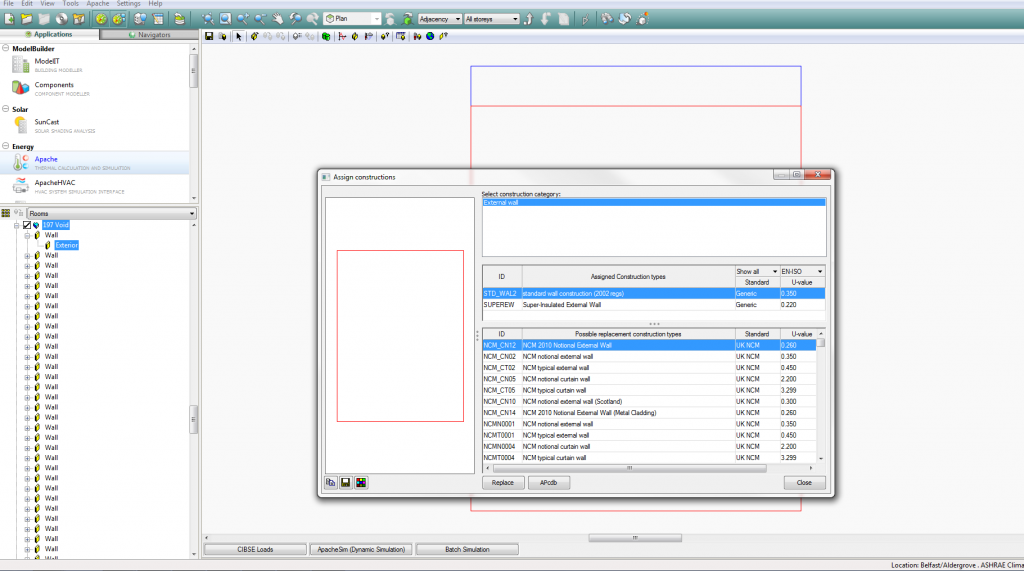
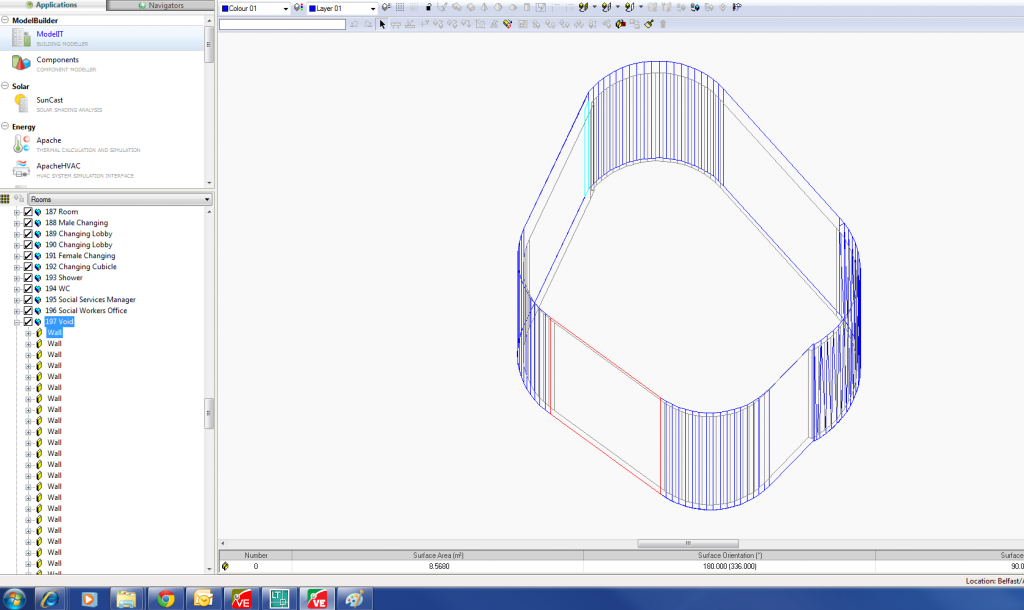
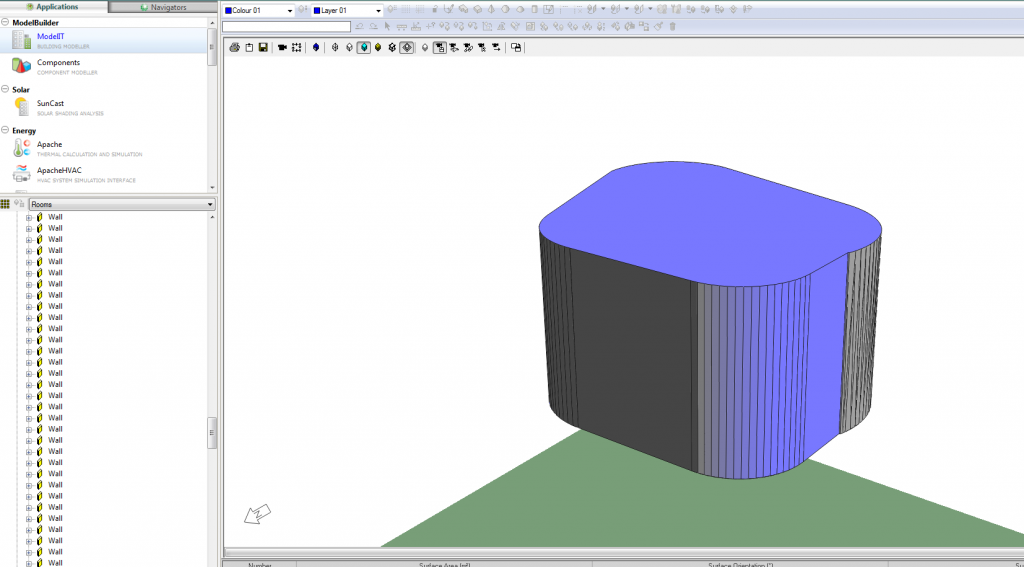
I've already drew the wall as a basic exterior wall, its a spline wall, I want to make the whole wall exterior glazing, not just a window, but when i choose to assign constructions I wasnt to be able to choose exterior glazing in the construction catergory, at the minute its only allowing me to choose external wall, do I have to draw a window on the wall to accomplish this?
I've attached a few shots of the wall im trying to change to glazing, hope I'm making sense...


Re: Changing an external wall construction to Exterior Glazi
Hi,
As in the previous response you have to add the glazing to the wall manually before you can assign the glazing properties via a Construction.
If you want to make the whole wall glazed then use the "Edit glazing for selected spaces" too in ModelIT. ModelIT user guide has some more info.
Remember even in the case of curtain walls the VE will recognise all surfaces as a wall and then you can place openings within the wall, that's the structure of a VE model. There are no "glazed walls" only opaque walls that have windows added (the window can be 100% of the surface area).
Phil
As in the previous response you have to add the glazing to the wall manually before you can assign the glazing properties via a Construction.
If you want to make the whole wall glazed then use the "Edit glazing for selected spaces" too in ModelIT. ModelIT user guide has some more info.
Remember even in the case of curtain walls the VE will recognise all surfaces as a wall and then you can place openings within the wall, that's the structure of a VE model. There are no "glazed walls" only opaque walls that have windows added (the window can be 100% of the surface area).
Phil
IES Worldwide Technical Support